Road and Traffic Signals
Lane markings, road surface, bollards, signs, guardrails, driving side, and traffic lights can narrow a country or region.
Upload a street, landmark, landscape, or travel photo and get a GeoGuessr-style location guess with visual clues, confidence notes, and map-ready verification steps.


Best for streets, signs, skylines, landmarks, roads, coastlines, mountains, and travel screenshots
The result is designed like a practical GeoGuessr reasoning sheet: likely place, clue evidence, confidence, and the next map check. It is useful for learning geography, solving travel images, and verifying screenshots without pretending every photo has one perfect pin.
This page targets the playful but practical search intent behind geoguessr ai and ai geoguessr.
People searching for AI GeoGuessr want an AI assistant that can look at a scene the way a GeoGuessr player would: notice road signs, landscape, architecture, driving side, utility poles, storefronts, license plates, language, mountains, coastlines, and small environmental clues.
That makes this page different from a normal photo GPS checker. GPS coordinates are useful when an original file still has metadata. AI GeoGuessr is for the more common mystery-image case: a screenshot, social post, travel reel, street photo, or downloaded image where the only useful evidence is what remains visible in the frame.
The best result should not be a magical one-word answer. It should explain why a country, region, city, or landmark is plausible, what evidence is weak, and how to verify the guess. A GeoGuessr-style workflow teaches the reasoning behind the answer while still giving a practical location lead.
A strong guess combines several independent signals instead of trusting one clue alone.
Lane markings, road surface, bollards, signs, guardrails, driving side, and traffic lights can narrow a country or region.
Storefronts, street names, license plates, transit symbols, and sign scripts often provide the highest-value location clues.
Vegetation, mountain profiles, coastlines, light, soil color, and weather patterns can make a guess more geographically grounded.
Famous buildings, roof shapes, facades, public squares, bridges, and skyline rhythm help identify cities and exact places.
Use the least-cropped version of the photo. Roads, signs, storefronts, utility poles, horizon, vegetation, and background details matter.
Check which signals the AI used and whether they point to the same place. Strong guesses usually combine text, road, terrain, and architecture.
Search the suggested place in a map, compare Street View or official photos, and treat low-confidence outputs as leads rather than facts.
Choose the method that matches the evidence available in your image.
| Method | Best For | Main Limitation |
|---|---|---|
| AI GeoGuessr | Mystery scenes with visible geographic clues and no reliable metadata | May return a region or candidate list when the scene is generic |
| EXIF GPS checker | Original camera files that still contain latitude and longitude | Screenshots and social downloads usually have no GPS data |
| Reverse image search | Images already published online or reused by many sites | Unique personal photos may have no public match |
| Manual map research | High-stakes verification after an AI or search result | Takes more time and needs clear clues to compare |
The page is built for curiosity, learning, and responsible visual verification.
Train yourself to notice road signs, landscapes, city forms, and cultural details before checking the AI reasoning.
Guess where a reel, livestream, or travel clip was filmed when the original metadata is unavailable.
Identify a possible destination from a scenic photo and save the candidate place for later trip planning.
Use the guess and clue list as a starting point before confirming a claimed location with maps or other sources.
The useful part of AI GeoGuessr is not only the predicted place. It is the reasoning path: which signs were readable, whether traffic clues match the country, how the architecture fits, and why terrain or vegetation supports the result.
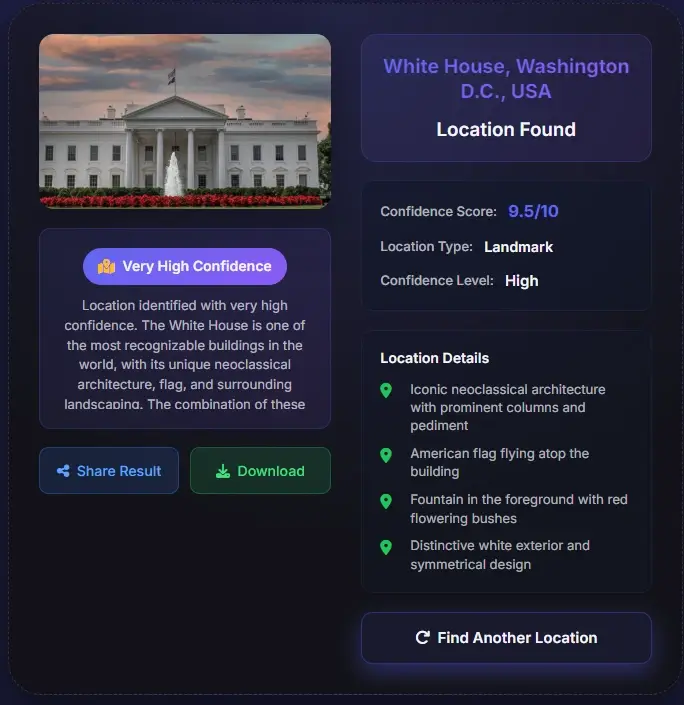
Most social posts, screenshots, edited images, and chat exports lose EXIF data. AI GeoGuessr reads what is visible in the picture and turns the remaining evidence into a ranked guess, then recommends how to verify it with map and image-search evidence.
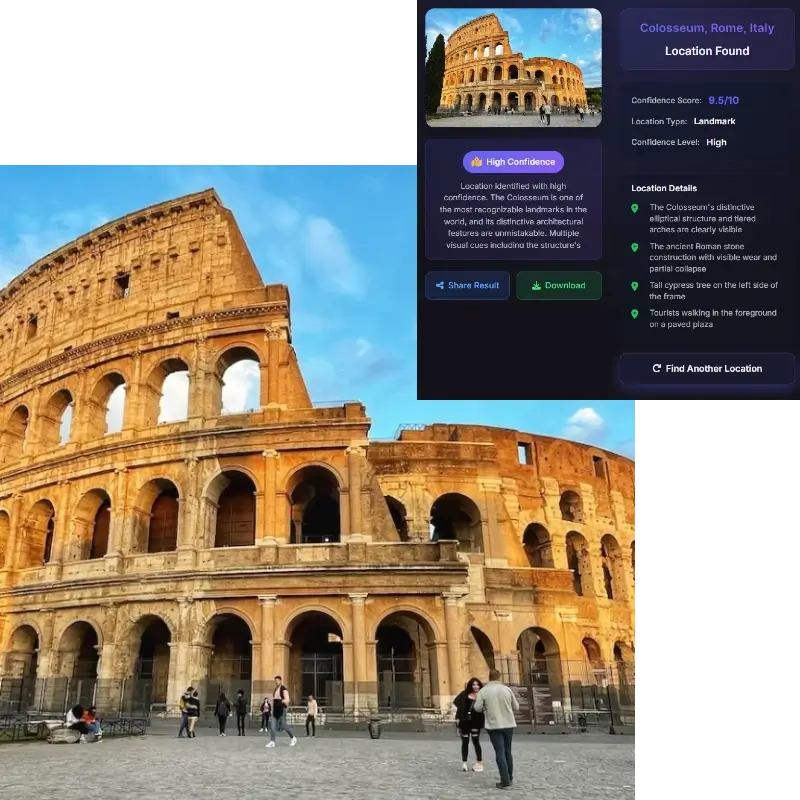
A solver that only gives a coordinate can be impressive but not educational. This page emphasizes country, city, and clue-level reasoning so users can improve their own geography instincts.
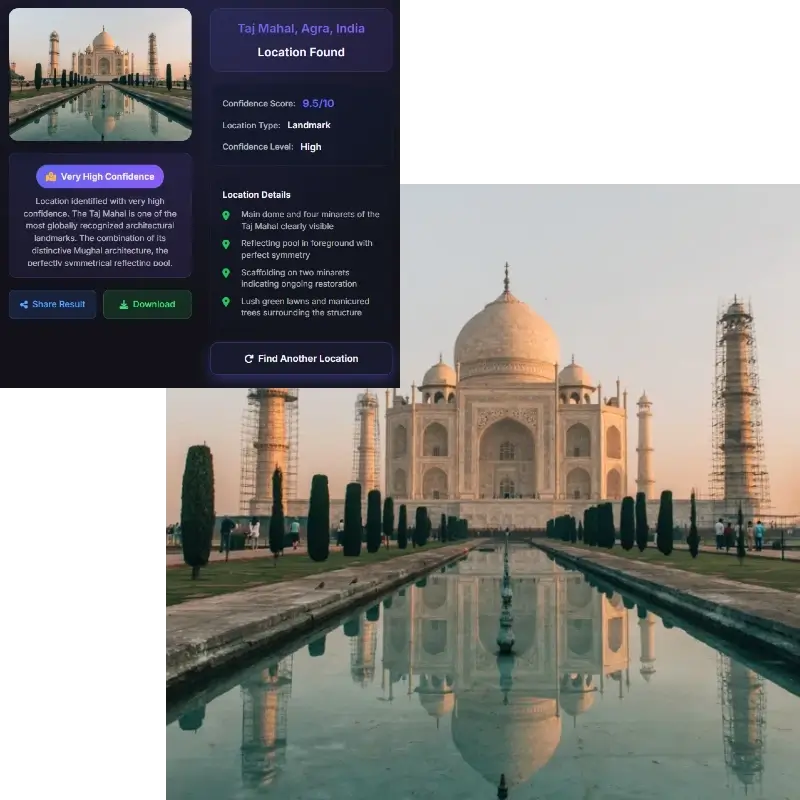
Photo geolocation can expose private places. The tool should be used for images you own, public scenes, travel research, learning, and verification, not for tracking people or publishing sensitive locations.
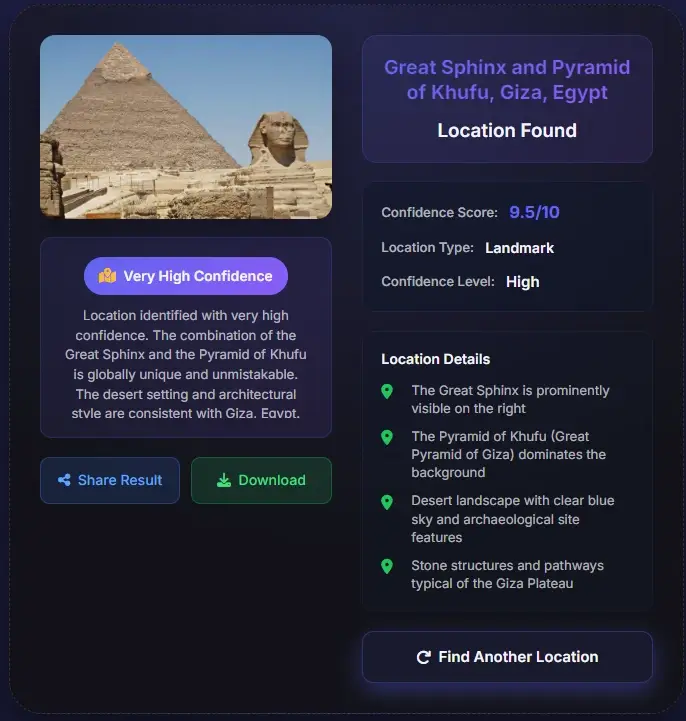
AI GeoGuessr should be treated as a reasoning assistant, not an infallible location oracle.
Use these external resources when you need to understand the game context or verify a candidate location.
AI GeoGuessr is a photo location guessing workflow where AI reads visible geographic clues and suggests a likely country, region, city, landmark, or candidate list.
No. GeoGuessr is a geography game. This page is an AI photo-location tool inspired by the same clue-reading behavior and is not affiliated with GeoGuessr.
Sometimes a public landmark or storefront can lead to a precise place, but many photos only support a city, country, region, or candidate list.
Wide outdoor scenes with signs, roads, architecture, vehicles, skyline, mountains, coastlines, or recognizable landmarks work best.
Often yes, if the frame keeps enough background context. A cropped or blurred screenshot may be less reliable.
Search the suggested place in a map, compare Street View or official photos, and check whether roads, signs, facades, terrain, and landmarks match the uploaded image.
Use caution. Do not upload or analyze private images to expose someone, and do not publish sensitive location conclusions without consent.